
Every Listo account includes a branded Client Portal — a self-service hub that cuts down the "can you resend that invoice?" calls. Here's what your customers experience, so you can walk them through it.
Signing in — no passwords
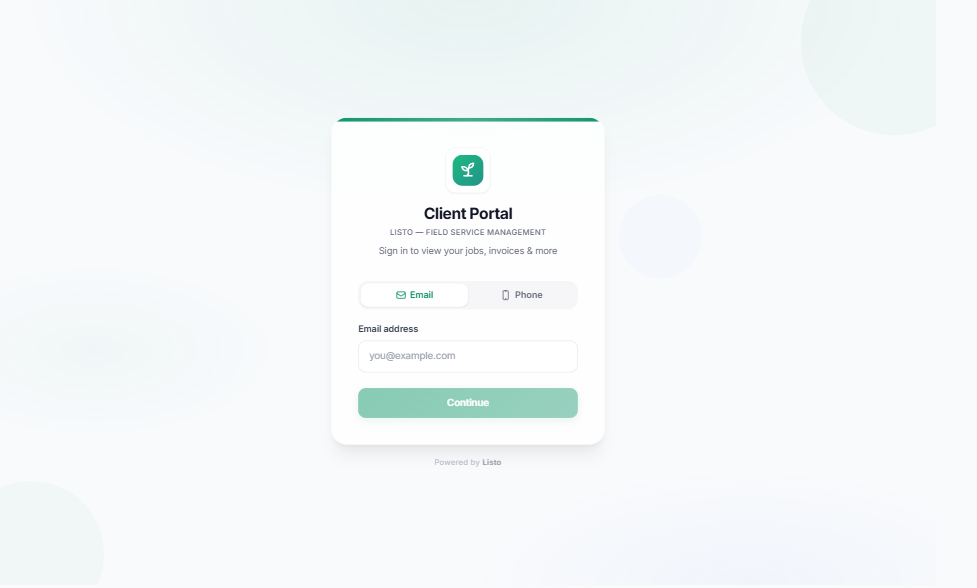
- 1The client opens your portal link and enters the email address or phone number you have on file.
- 2Listo sends a 6-digit one-time code (email or SMS).
- 3They enter the code and they're in — no password to create or forget.
What clients can do
- Overview — balance due, upcoming jobs, pending quotes, and a Next Up card for their next visit.
- Jobs — past and upcoming visits, including tech notes and job photos your crew attached.
- Invoices — View Invoice, Pay Now for open balances, and Download Receipt for paid ones.
- Quotes — Review & Approve pending quotes with one click.
- Request Service — a guided form to describe new work, attach photos, and share timing.
- Account — update name, email, and phone; manage Payment Method and the Automatic Payments toggle; set Email and SMS reminder preferences.
Payments without friction
Clients don't even need the portal to pay: every invoice email contains a secure pay link that opens a Stripe checkout. Their payment method can be saved for future invoices, and enabling autopay means recurring work gets paid the moment invoices come due.
Automatic reminders
- Appointment reminders go out the day before a scheduled visit (when reminder emails are enabled in your settings).
- Overdue invoice reminders start 3 days after sending and repeat no more than every 3 days.
- Clients control their own Email and SMS reminder preferences in the portal, so opt-outs handle themselves.
Tip: Share your portal link on your website, invoices, and email signature. The more clients self-serve, the fewer interruptions for your office.