
The Dashboard is your command center. It greets you with today's date and shows the health of your business the moment you log in.
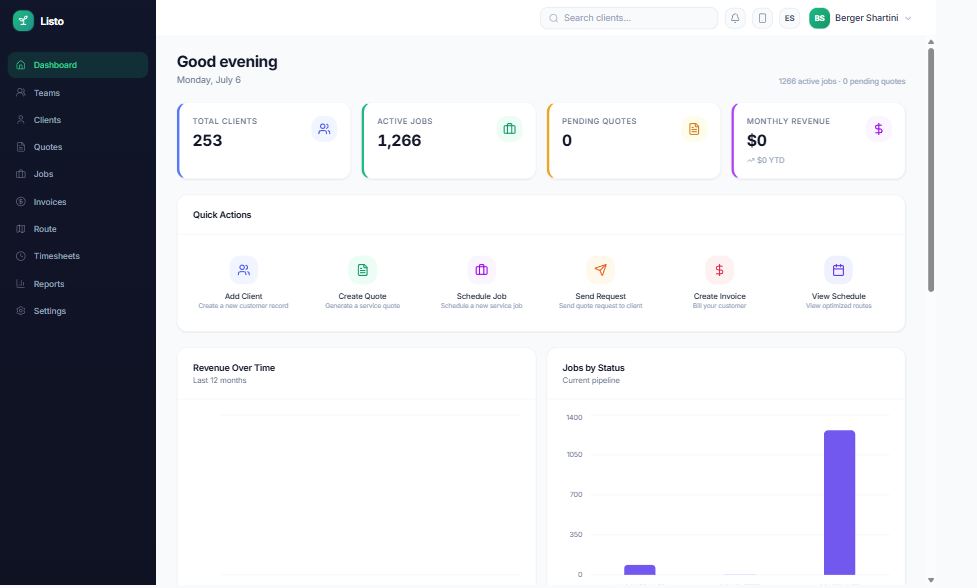
Metric cards
Four cards along the top summarize your business. Click any card to jump to the full page behind it.
- Total Clients — your full client list.
- Active Jobs — everything scheduled or in progress.
- Pending Quotes — quotes waiting on a customer response.
- Monthly Revenue — this month's revenue, with year-to-date shown alongside.
Quick Actions
The Quick Actions row gives you one-click shortcuts for the things you do most: Add Client, Create Quote, Schedule Job, Send Request, Create Invoice, and View Schedule.
Charts and lists
- Charts show jobs by status, jobs by category, and revenue by month.
- Upcoming Jobs and Recent Quotes keep the near future in view.
- Top Clients highlights who drives your revenue.
- Overdue Invoices includes a Send reminders button so you can nudge late payers in one click (Listo waits at least 3 days between reminders to the same client).
Tip: Brand new account? The Dashboard shows a "Get started" card with three steps — set up Teams, add Clients, and schedule Jobs — until your first data comes in.